01 / SHARED NETWORKS
Connect on public Wi-Fi
On shared networks in cafés or airports, traffic routed through the VPN travels through an encrypted connection.
Connect to a VPN for an added layer of protection online. Choose the server and connection mode that suit you.

From shared Wi-Fi to everyday browsing, choose when to connect and which server to use.
On shared networks in cafés or airports, traffic routed through the VPN travels through an encrypted connection.
When traveling or switching networks, check available servers and latency to choose one for your connection.
When you visit a site through the VPN, it sees the selected server’s exit IP address.
Your server, session time, live speed, and plan usage are on the home screen. Open the relevant control to change servers or routing rules.
See upload and download speeds and how long you have been connected.
Open servers, routing rules, and plans from the home screen.
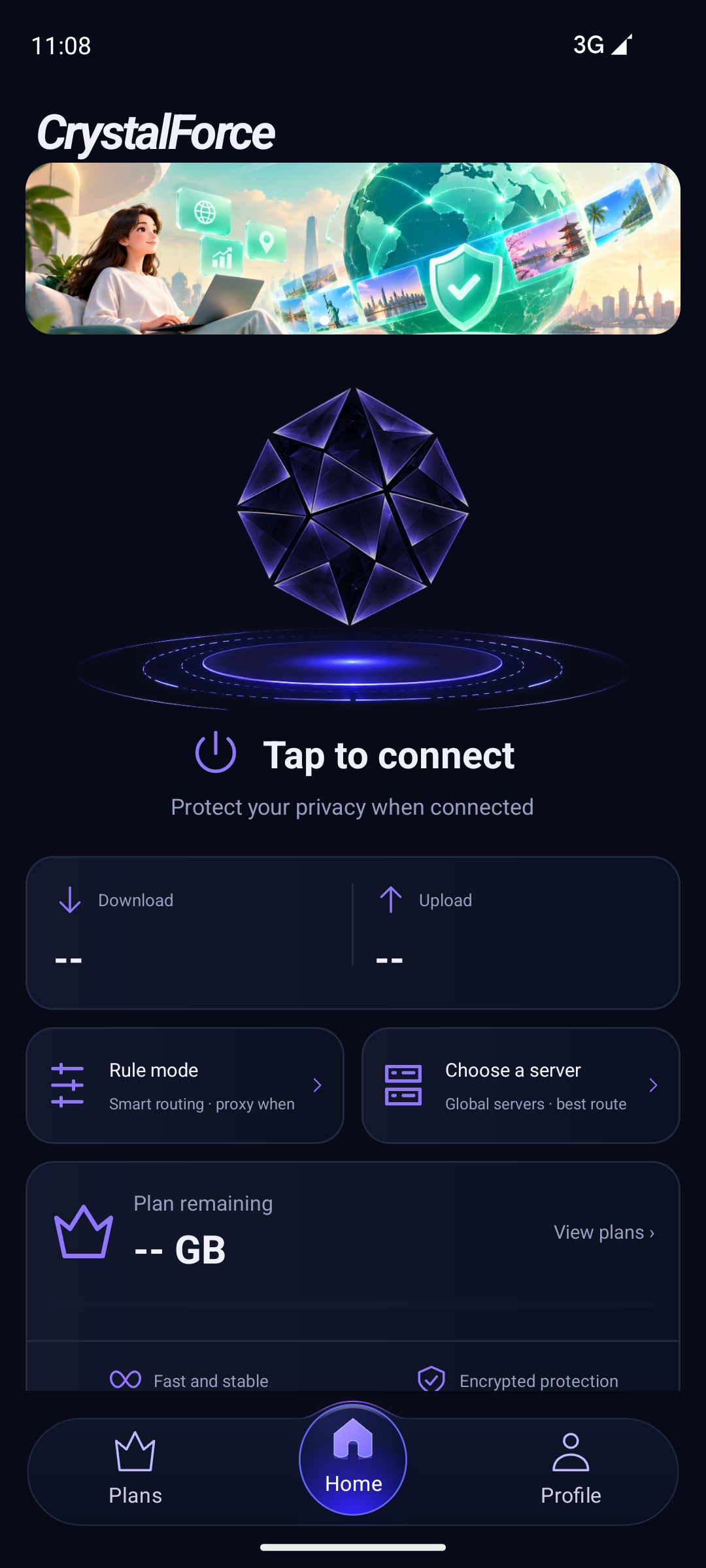
Different requests can use different routes. CrystalForce offers rule mode, global mode, and per-app settings.
Requests sent through the VPN reach websites through your selected server.
Route traffic by destination, or switch to global mode when needed.
Choose which apps use the VPN while others stay on your regular connection.
Open the app, sign in, and connect.
Open the CrystalForce app on your device.
Create an account or sign in and check your available plan.
Choose a server and tap Connect. Allow the VPN connection when your device prompts you the first time.
Learn what a VPN does and how you can use CrystalForce.
You can get the app here when the official download opens.